Add voiceover and music to your videos
Write a script and pick a voice, or describe the music you want. Then put the audio on any clip, on the same canvas.
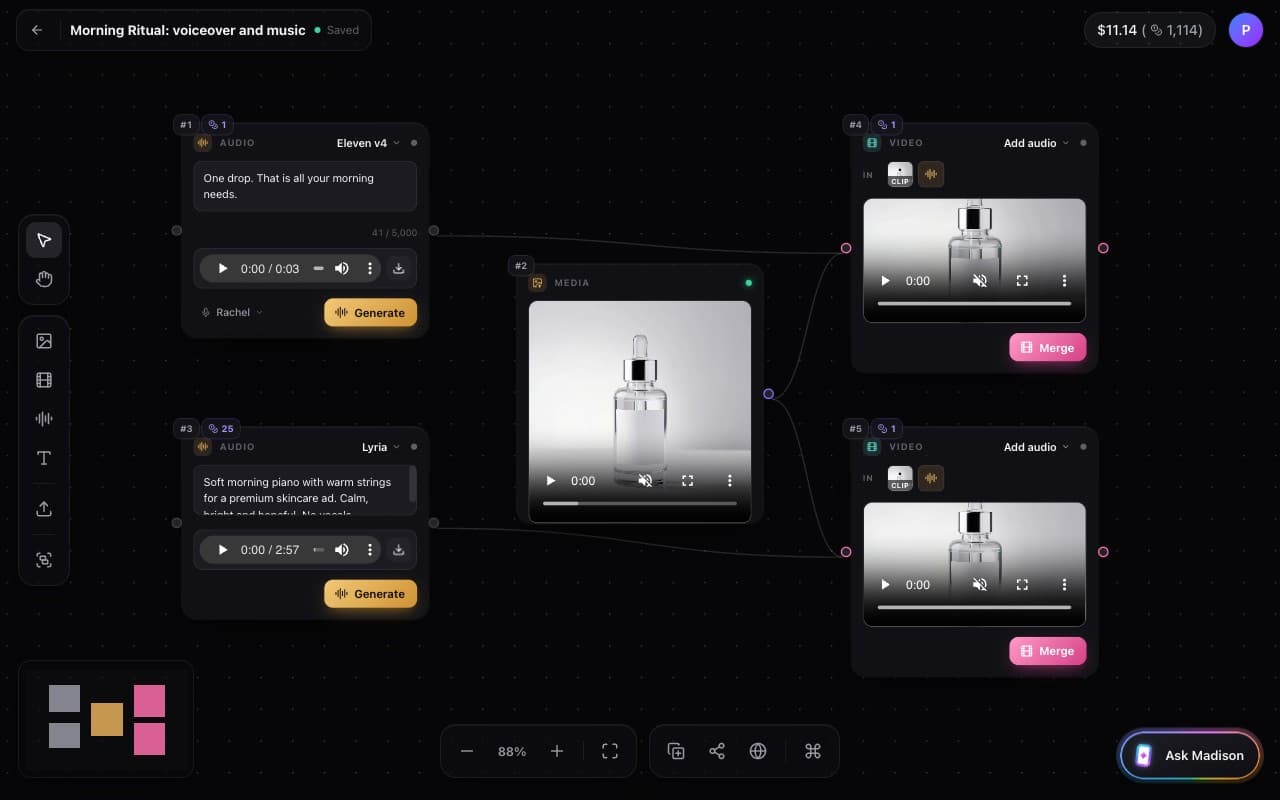
A video without sound is half an ad. The studio now has an Audio node that makes voiceover and music, and a way to put that audio on a clip.
Write a script, pick a voice
Add an Audio node, write what the voice says, and choose one of 12 voices. Eleven v4 gives the most expressive read. Eleven v4 Turbo is faster and costs half as much.
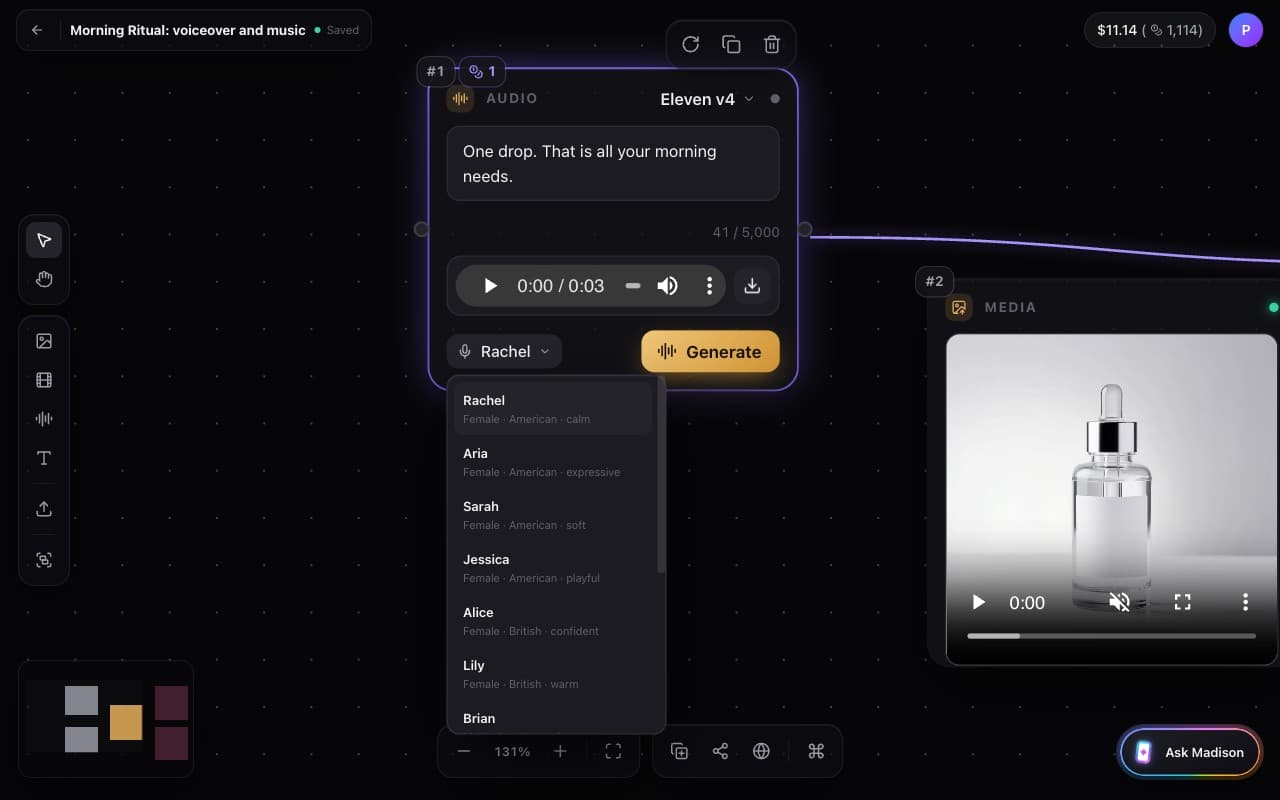
Describe the music
Switch the Audio node to Lyria 3.5 and describe the track: the mood, the instruments and the pace. You get a full-length track.
Put the audio on a clip
Add a Video node and choose the Add audio model. Connect a clip and an audio, then select Merge. You get the same clip with your audio on it.
Use your own audio
Drop an MP3, WAV or M4A file on the canvas. It connects to Add audio in the same way.
Or ask Madison
Madison can do all of this. Ask her for a voiceover on a clip: she adds the nodes, tells you the price, and runs them when you agree.
Good to know
- A voiceover costs 20 credits for each 1,000 characters on Eleven v4, and 10 credits on Eleven v4 Turbo.
- A music track costs 25 credits. Add audio costs 1 credit.
- A script can have up to 5,000 characters.
- Add audio replaces the sound of the clip. The result has the length of the clip.