All updates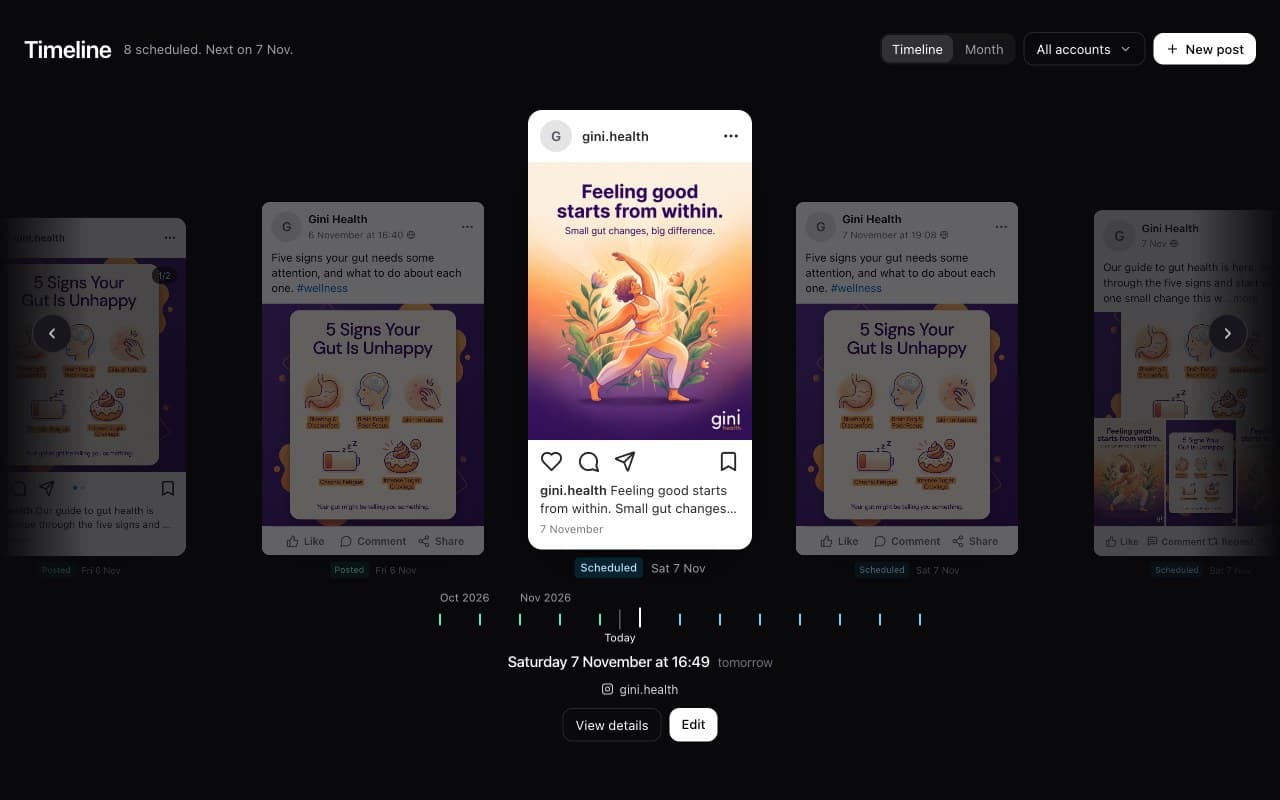
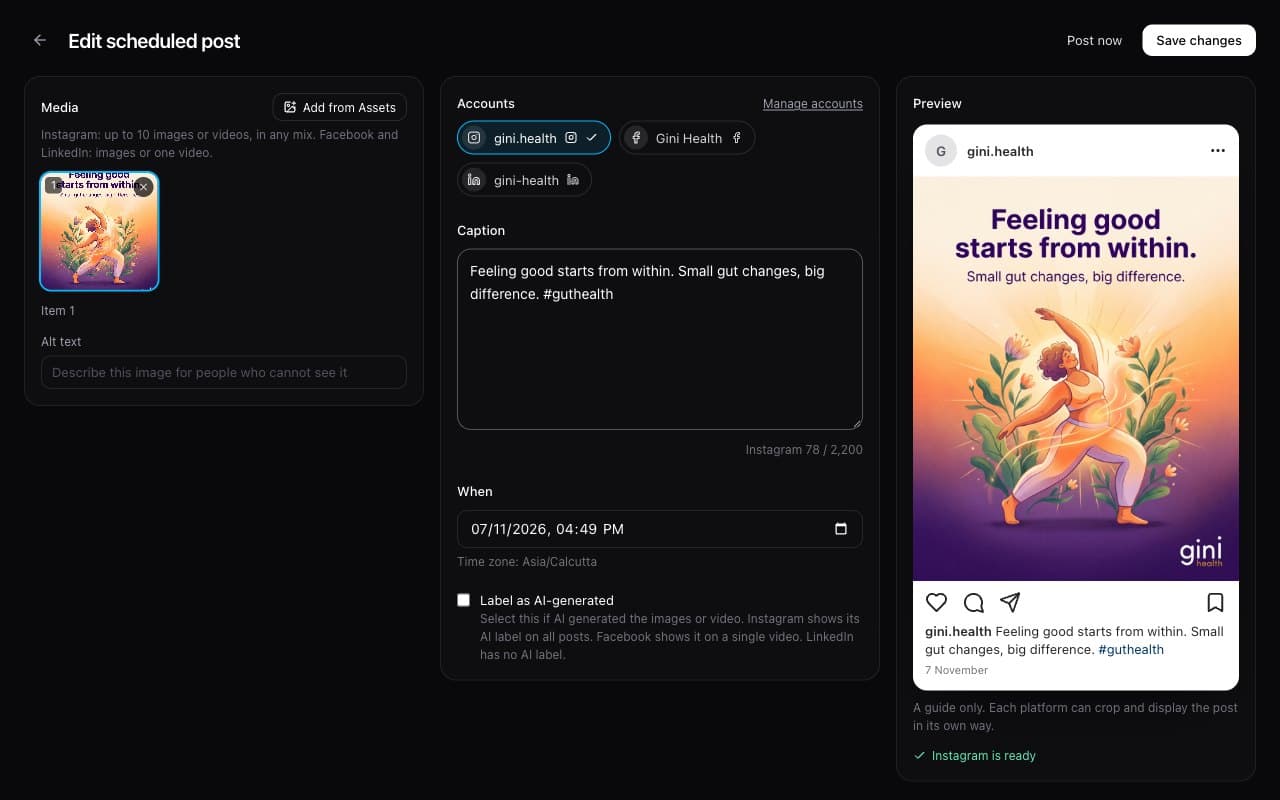
Write once, and preview the post for each account. 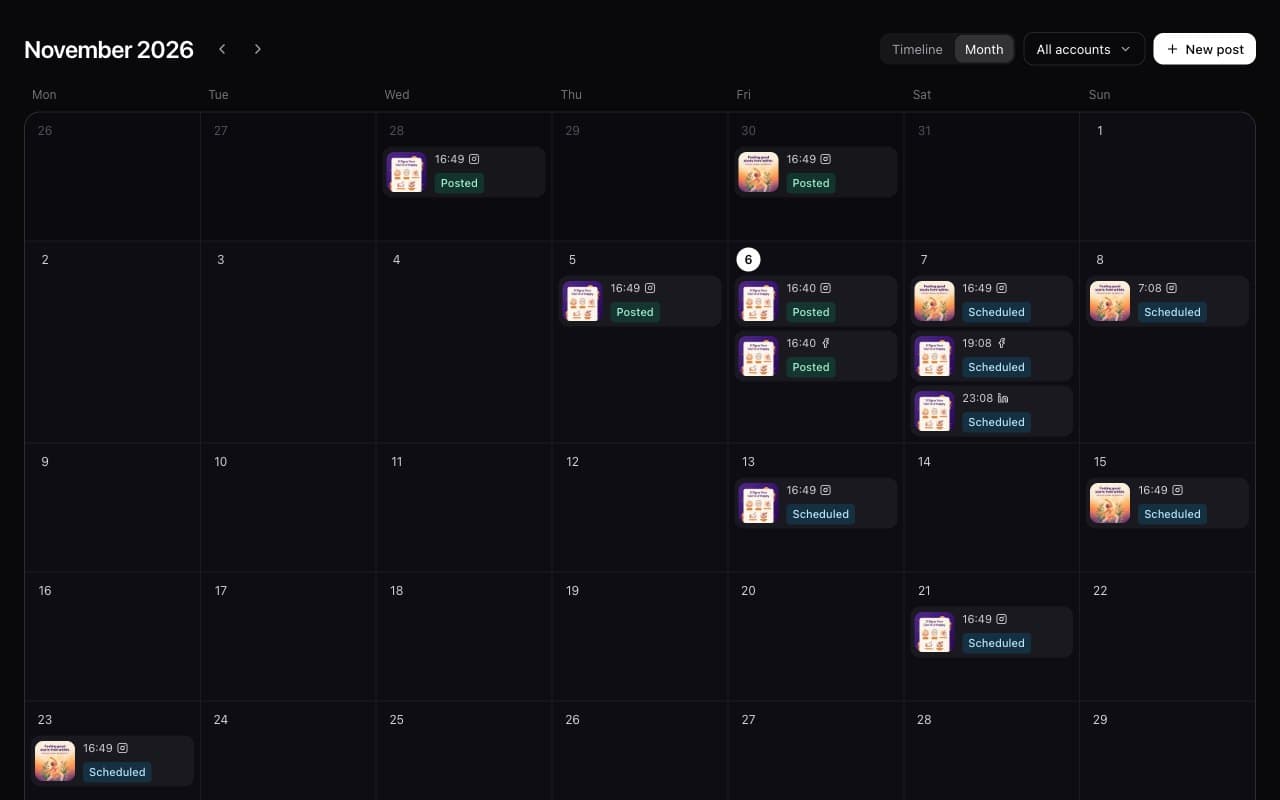
New feature6 November 2026
Plan and publish your posts with Social Calendar
Schedule posts to Instagram, Facebook and LinkedIn from the work your team makes here, and see each post as it will look.
Your campaign does not end at the last render. Connect your accounts, pick the images and videos you want from Assets, then post now or choose a time.
See what goes out next
The timeline shows your posts in date order and starts on the next one. Scroll through them, or use the account filter to follow one channel.
Check a post before it goes live
The preview in the composer uses the layout of each platform: an Instagram feed post or Reel, a Facebook Page post, or a LinkedIn post.
Plan the month
Switch to Month when you want to see gaps in your plan, or to reach an older post.
Good to know
- Anyone in your team can connect an account.
- Instagram accounts must be Business or Creator accounts. On Facebook, you post to Pages.
- Posting is free, up to 25 posts in 24 hours for each team.